Weather App
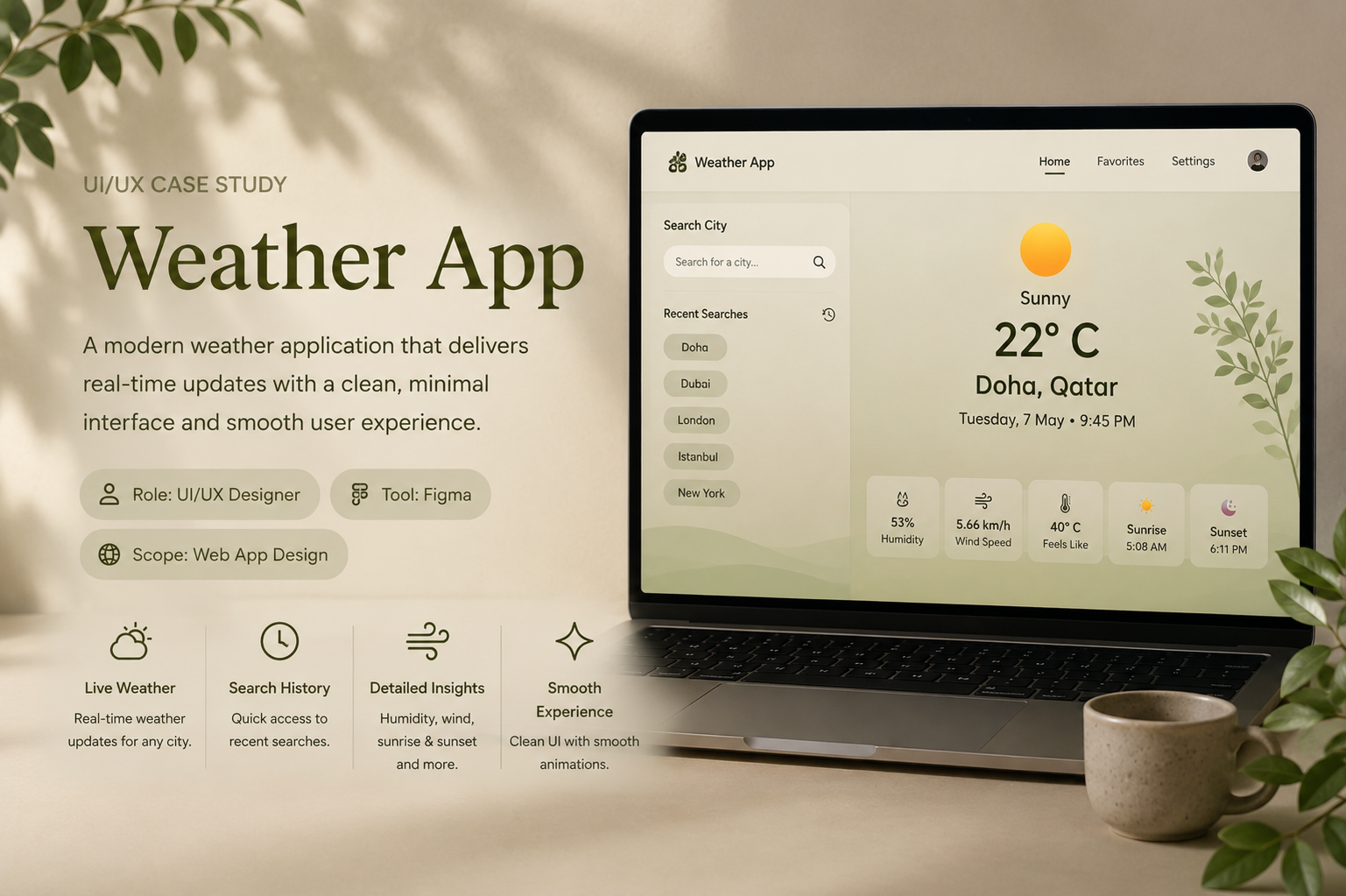
A mobile-first weather application designed to help users quickly check current conditions, explore forecasts, manage multiple locations, and personalize their weather experience through a clean and intuitive interface.
Design Goals
Key Features
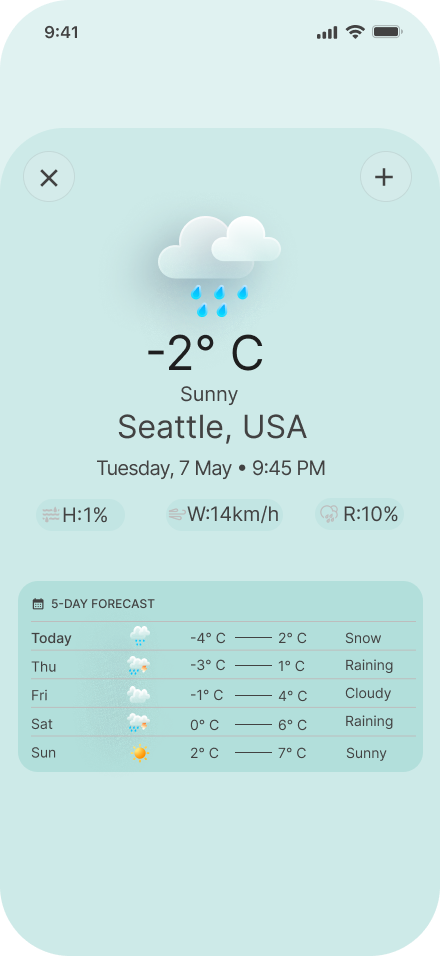
Temperature, conditions, humidity, wind speed, and feels-like temperature at a glance.
Save and quickly switch between different cities and locations.
A compact forecast layout makes upcoming weather easy to scan.
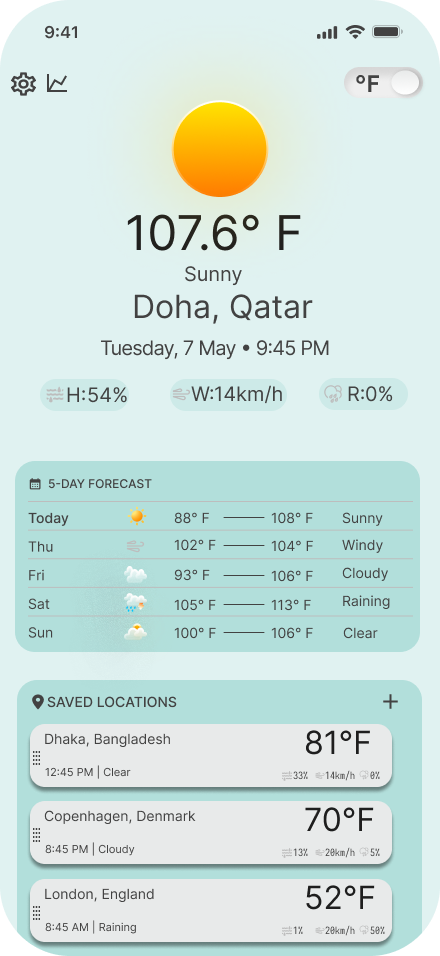
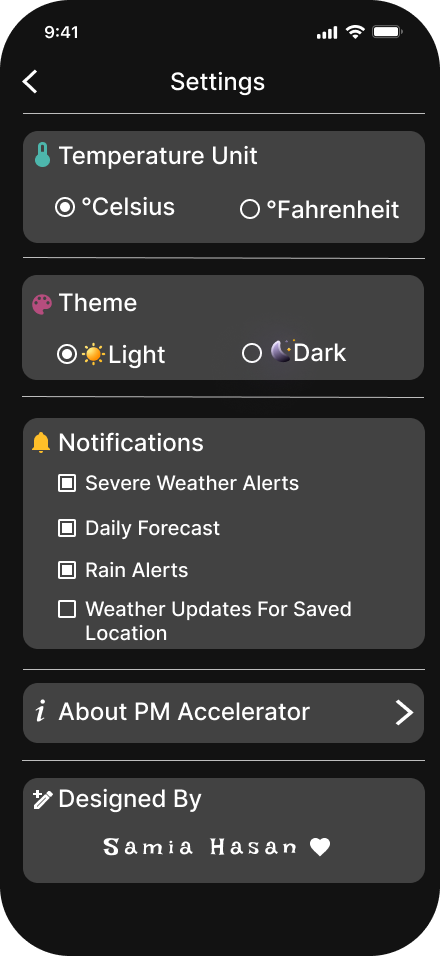
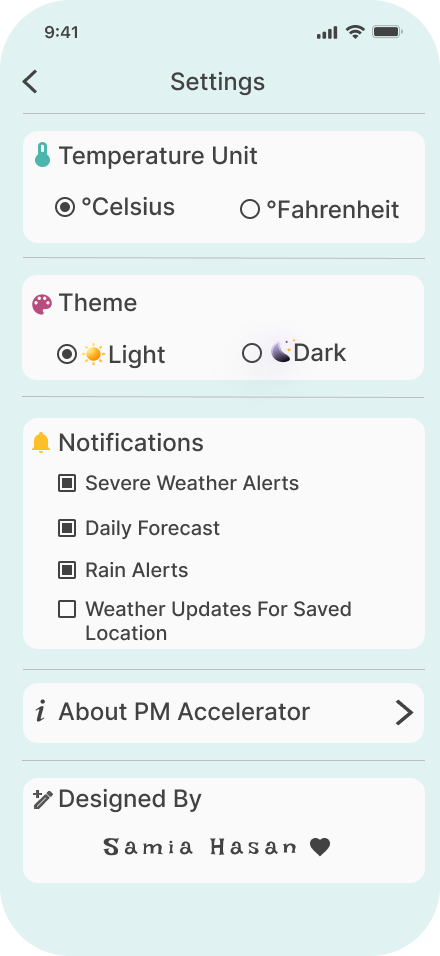
Temperature unit selection and light/dark theme preferences.
Mobile App
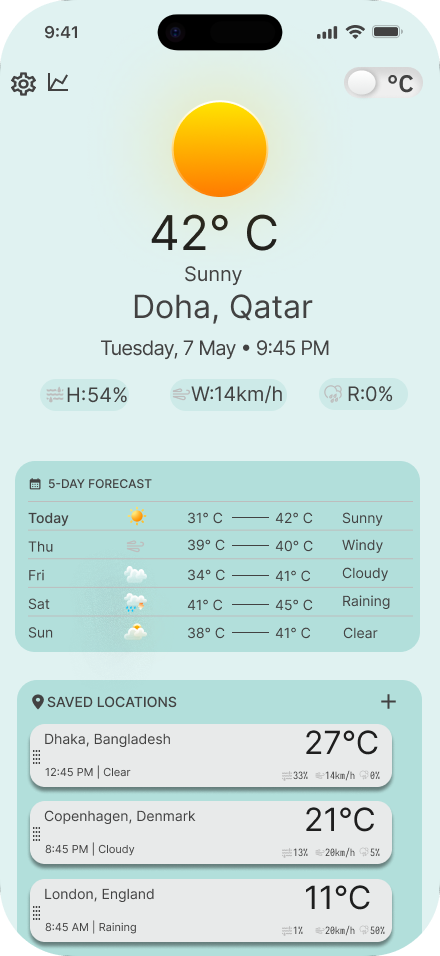
The mobile experience was designed to make essential weather information easy to scan while keeping features such as saved locations, search, personalization, and settings within easy reach. Different interface states were also considered to create a more complete and intuitive experience.
.png)
Key Interactions
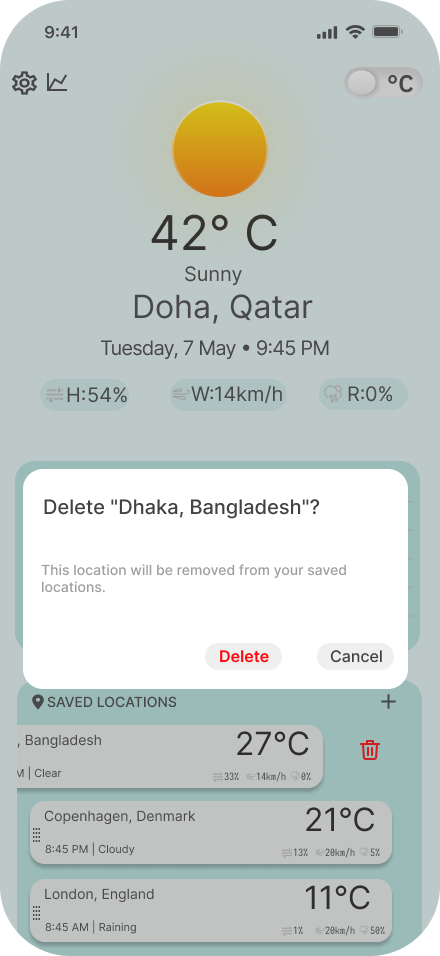
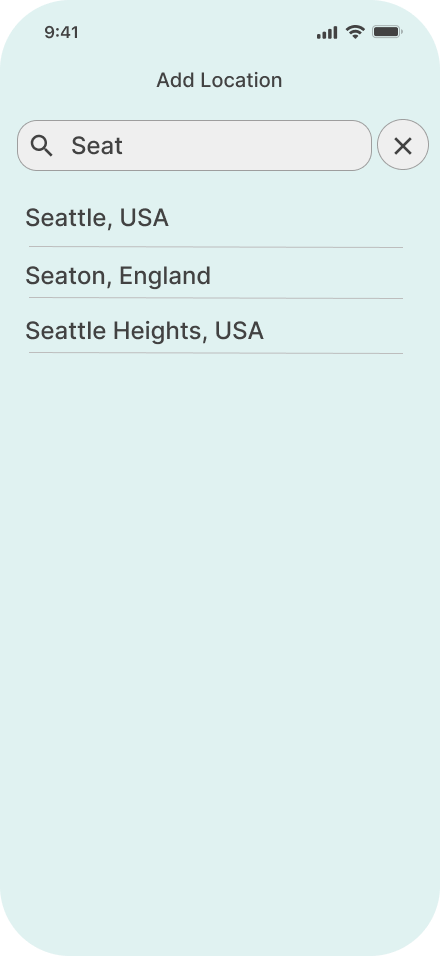
Beyond the main weather screen, I designed different interaction states to account for common user actions and edge cases. This includes searching for a location, handling invalid searches, adding locations, and confirming destructive actions such as deleting a saved location.
Design Explanation
The design uses a soft teal and neutral color palette to create a calm and approachable visual experience. Weather information is prioritized through a clear hierarchy, with the current temperature and conditions placed prominently at the top of the screen.
Supporting information such as humidity, wind speed, feels-like temperature, and the upcoming forecast is presented in compact sections so users can quickly scan the information without feeling overwhelmed.
Saved locations allow users to monitor weather in multiple cities, while search makes it easy to discover new locations. Light and dark themes and Celsius/Fahrenheit selection provide additional personalization.
UX Decisions
Important weather information is presented first, while secondary details remain accessible without competing for attention.
Search, saved locations, and settings are designed to require minimal interaction.
Users can adapt the experience through temperature units and theme preferences.
The same visual language and interaction patterns are maintained across different screens and themes.